Video Call Confidence: 2-Minute Routine + Setup Tips
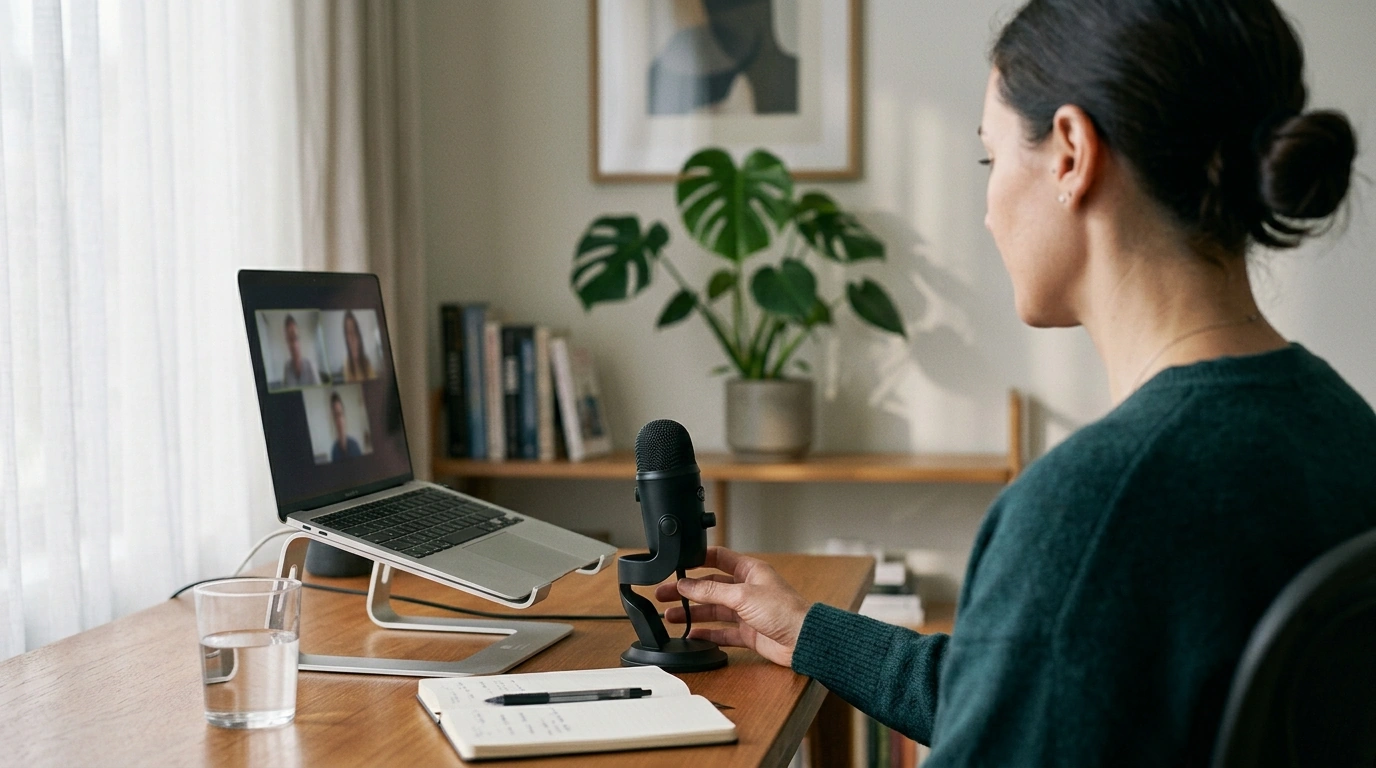
Face the Cam, Own the Room: Simple Habits for Confident Video Calls
Video meetings can magnify nerves: the camera feels close, delays interrupt rhythm, and small distractions look bigger on screen. Confidence on calls isn’t a personality trait—it’s a repeatable setup and a few practiced behaviors. The goal is to look steady, sound clear, and stay present, even when the stakes feel high.
Why video calls feel harder than in-person conversations
On screen, the brain is doing more work with fewer cues—so it’s normal to feel “off” even if the topic is familiar.
- Self-view creates constant self-monitoring. When you can see your own face the whole time, it can trigger self-consciousness and distract you from listening. The APA’s definition of self-consciousness is a helpful reminder that the feeling is common—and not a sign you’re doing poorly.
- Small delays change turn-taking. Even a fraction of a second makes interruptions more likely. A tiny pause before responding helps you enter cleanly.
- Limited body language increases the importance of voice and framing. People read confidence through tone, facial cues, and a stable picture.
- Cognitive load is higher. Faces, slides, chat, and notes compete for attention, so energy drains faster than in person.
The 2-minute pre-call routine that steadies nerves
This quick routine is designed to calm your body first, then simplify your focus—so you start the meeting already “settled.”
- Stand up and reset posture. Roll your shoulders back once or twice, relax your jaw, and soften your forehead. Tension shows up as a tight voice and a guarded expression.
- Do one slow breath cycle. Inhale for 4 seconds, then exhale for 6–8 seconds to lower urgency. If you want a structured approach, Stanford Medicine has a practical overview of breathing methods for stress reduction, including box breathing (Stanford Medicine).
- Choose one intention. Pick a single outcome such as “clarify the decision,” “ask for feedback,” or “align on next steps.” This reduces rambling and makes you easier to follow.
- Open only what you need. Agenda, doc, and notes—nothing else. Fewer windows means less scrambling and fewer “sorry, one second” moments.
Camera presence: simple adjustments that make you look composed
People often interpret technical cues as personal cues. A steady frame and clear audio can make you seem more confident before you even speak.
- Put the camera at eye level. Looking down at a laptop reads as uncertainty and reduces connection.
- Sit about an arm’s length away. You’ll look more natural, and your gestures stay in frame without crowding the lens.
- Frame mid-chest to just above the head. Keep a little headroom, with your eyes near the top third of the screen.
- Stabilize your setup. Laptop wobble can make you look jittery even if you’re calm.
- Choose a clean background (or a consistent blur). Remove bright motion behind you so attention stays on your face.
Quick setup checklist (confidence-friendly defaults)
| Element | Best default | Why it helps |
|---|---|---|
| Camera height | Eye level | Creates direct, calm eye contact |
| Distance | Arm’s length | Natural proportions and comfortable presence |
| Lighting | Soft light in front (window or lamp) | Reduces shadows and a tired appearance |
| Audio | Headset or dedicated mic | Clear sound reads as confidence |
| Background | Simple, non-distracting | Keeps attention on your message |
Voice and pacing: sound confident even when you feel shaky
On video, the voice carries more weight than usual. A few small choices can make you sound grounded, even if your heart rate says otherwise.
- Start one notch slower than feels natural. Anxiety speeds people up; slowing down makes you easier to trust and understand.
- End statements with a gentle downward tone. Upward inflection can unintentionally sound like uncertainty.
- Use short sentences for key points. Deliver the headline first, then add details after you confirm understanding.
- Pause after important lines. Silence can feel long on video, but it signals control and gives others room to respond.
- Hydrate and format notes for calm delivery. Large font, bolded keywords, and spaced lines prevent rushed reading.
Where to look: eye contact without staring at yourself
What to say when put on the spot
Handling common confidence killers (glitches, silence, and tough rooms)
For more guidance on contributing effectively in group settings, Harvard Business Review offers practical coaching on participation and speaking up (Harvard Business Review).
Small practice plan: build confidence across five calls
A simple guide to make video confidence easier to repeat
If a step-by-step approach helps you stay consistent, Face the Cam, Own the Room: A Simple Guide to Video Call Confidence focuses on practical techniques you can use immediately for video meetings, interviews, standups, and client calls.
To make preparation feel lighter (especially when you’re juggling multiple meetings), pairing that routine with a planning tool can help you show up with cleaner priorities and tighter takeaways. From Dream to Done: The Ultimate Business Goal-Setting Checklist is a straightforward way to organize goals, next steps, and deadlines—useful when your “confidence” depends on clarity.
FAQ
How can confidence improve quickly on video calls?
Use a fast routine: camera at eye level, soft front lighting, one clear intention, and a slower pace for the first 30 seconds. Then practice across a few calls with one focus area each time (setup, pacing, eye contact, asking one direct question, or closing with a recap).
Should self-view be on during a video meeting?
Self-view can help at the start to confirm framing and lighting, but it can increase self-consciousness for many people. After you check your setup, minimizing or hiding self-view often makes it easier to stay present.
What if the voice sounds nervous or shaky?
Take one slow breath cycle before you speak, slow down your first few sentences, and end statements with a gentle downward tone. Hydrate, use short structured points, and add intentional pauses so your voice has time to settle.
















Leave a comment